
The Kit
One case. Everything the lesson needs.
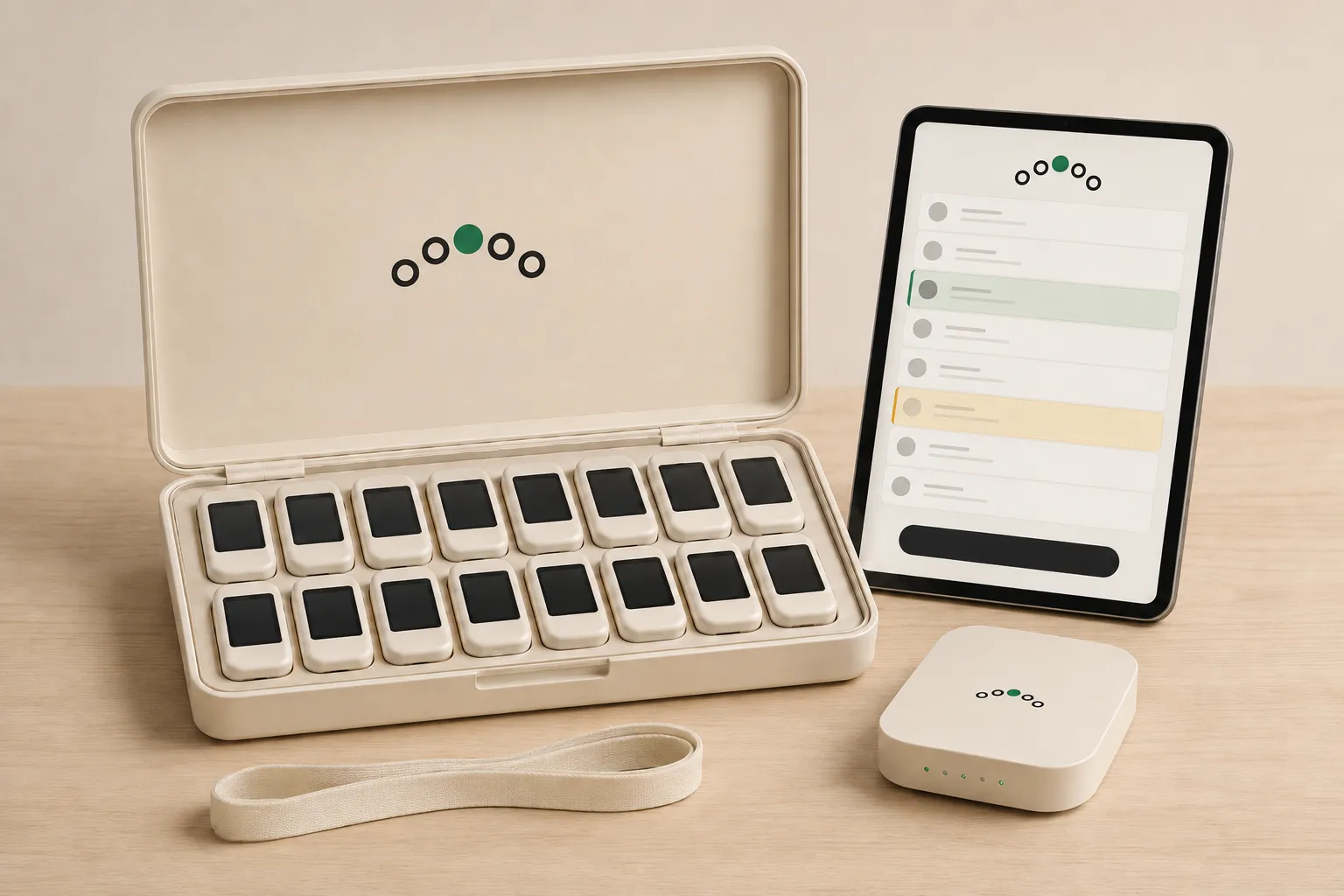
A card for every player, an iPad for each teacher, and the router that lets a scene run without the venue's wifi — in one case, set up for your institution before it arrives. Rehearsals, class nights and show nights run on the same kit — and improvised scenes and live prompts too.
1 per actor
Cards
Each one added to your institution before the box ships. It shows its actor's cue and line, a prompt, a call or a situation, buzzes before its holder's turn, and has no camera. Switch one on and it finds the teacher's iPad by itself: it joins the kit's own Wi-Fi and asks that network which iPad is running the lesson.
1
Router
While a lesson runs, the room is its own network — no venue wifi needed. Opening a lesson needs a connection; the record uploads afterwards.
1
Case
Storage and transport for the kit.
1 per teacher
iPad
The teacher's screen, with the class app on it.
Sized to you
You tell us the rooms. We size the box.
Your largest class
The number of cards follows the biggest group you teach at once.
Your teachers
One iPad for each teacher, and a licence priced by the number of teachers.
Spares
A thirty-set with one dead device is a twenty-nine set. Ask about spares when we work out the quote, rather than discovering the need later.
Quantities are per customer — more cards, more routers for more rooms, more iPads for more teachers. The quote lists every line.
Included with every kit
The software half.
The teacher app
Runs the lesson — a rehearsal, a class, a show night, a written scene or prompts typed live — over the internet, or over the kit's own router without the venue's wifi once the lesson is open.
How a session runs →Composer & the Library
Paste or import a script, write an improvised scene with an assistant to draft from, add pictures — or start from the Library and make it yours.
See Composer →Backstage
People, groups, consent records, lesson history — including where the lines went in a rehearsal — and reports: the working area behind the room.
Licensed per teacher. Each licence covers a set number of players, agreed in the quote, so nobody weighs cost before adding one more player to a lesson. The licence runs alongside the kit. We quote them separately because that is how institutional budgets approve things.
The teacher app, Composer, Backstage and the card's own words are in English, German and French. Scripts and scenes are free text and play in any language.
After the session
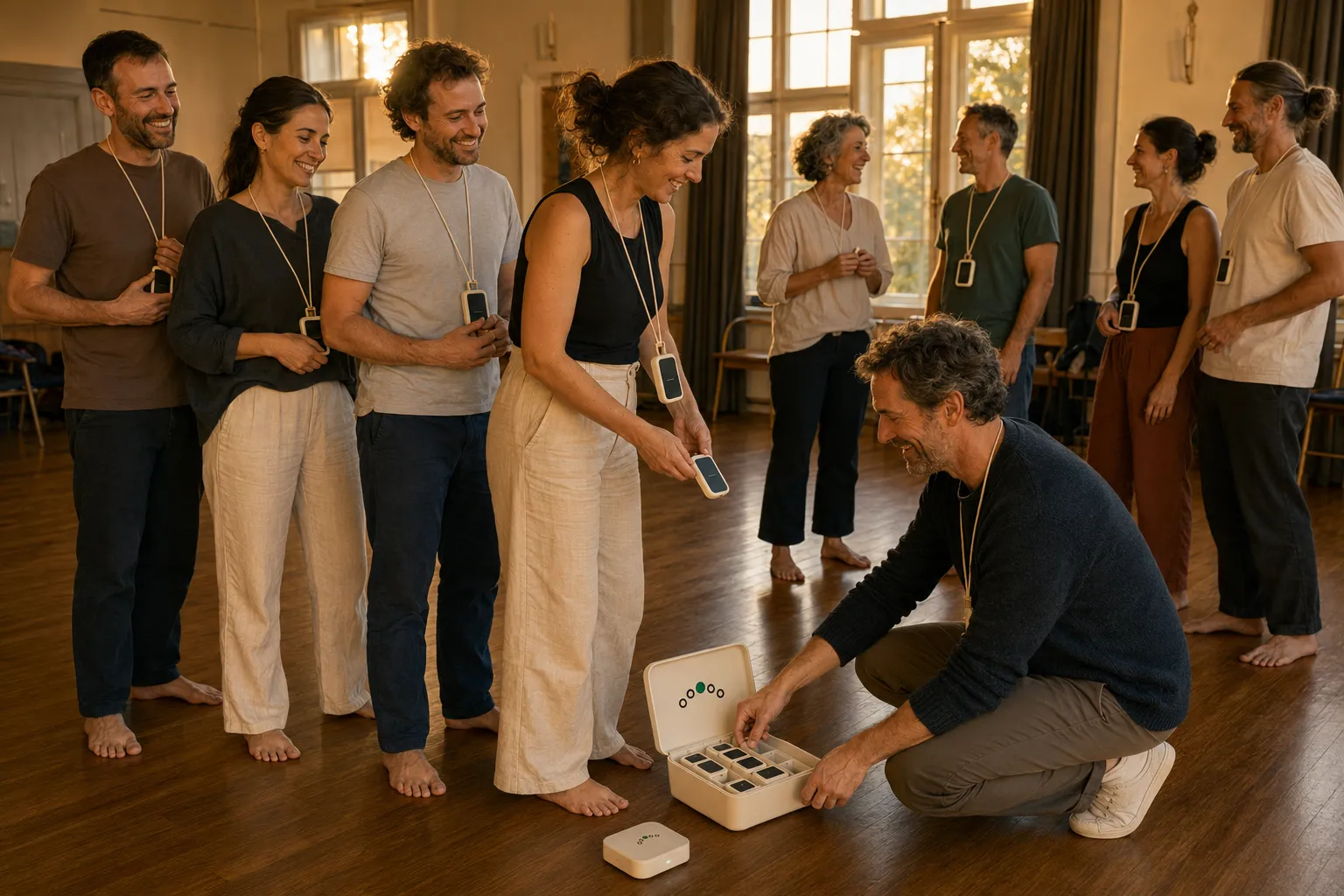
Everything goes back into one box.
How buying works
Five steps, no forms, no framework.
-
You write to us
A sentence about your rooms and your groups is enough. A person answers within a working day — there is no funnel behind the address.
-
We show you the system running
A demo of 30–45 minutes on a video call, your questions, and your data officer's questions if it is a school. Bring the sceptic.
-
You get a quote
Worked out from the size of your largest class and the number of teachers — which is why it is a quote and not a price list.
-
The kit ships
Configured for your institution. Open the case, the teacher joins the kit's Wi-Fi on the iPad, switch a card on, and it finds the teacher's iPad.
-
Onboarding and training
We import your class list with you, walk your teachers through a first session, and stay reachable.
When something breaks
A dead card is a spare, not a support ticket.
Swap in a spare and carry on — the teacher gives it a seat like any other card, because no device belongs to any player. Withdraw the dead one in Backstage and we sort out a replacement. Nothing about a lesson waits for a courier.
Tell us about your rooms.
How many groups, how many rooms, roughly how many players. That is enough for a first answer.
Talk to us